Namaste, and welcome to All GK News! This is a simple, friendly place for anyone who loves trending AI photo edits. Here you will find free, ready-to-use AI photo editing prompts for Google Gemini and ChatGPT, written in easy English and made for Indian users.
If you have ever seen a cinematic portrait, a royal Diwali look or a cute couple edit on Instagram and thought, “How did they make this?”, you are in the right place. Just upload one clear photo, copy our prompt, paste it into Google Gemini or ChatGPT, and your edit is ready in a few seconds. No Photoshop, no paid apps and no design skills needed.
You can see all our newest prompts on the All GK News homepage, where we add fresh ideas and trends regularly.
Why We Started All GK News
AI photo editing has become one of the biggest trends on Indian social media. Everyone wants those viral edits for their Instagram, WhatsApp status or profile picture. But when people search for prompts online, they often find long, confusing text that doesn’t give good results. Many end up with a cartoon-like face, a changed look or a blurry photo.
We wanted to change that. This website was started to bring good prompts together in one place, with simple steps, so that anyone, whether a college student, a homemaker or a small business owner, can create beautiful photos right from their phone.
Meet the Founder: Ajizul from Guwahati
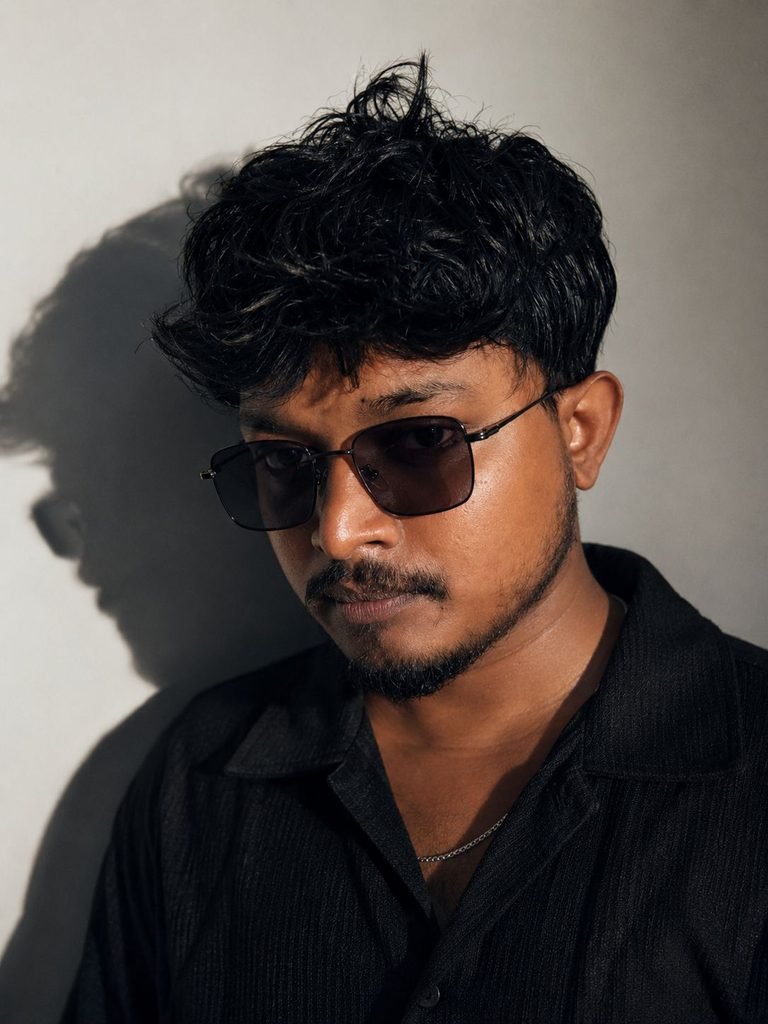
Hi, I’m Ajizul, the founder of All GK News. I’m from Guwahati, Assam, and I spend most of my day working with AI photo and video editing tools.
When AI edits started going viral, I noticed that most people were not short of ideas. They were short of the right prompt. A small change in words can completely change the result. So I started writing prompts that are simple, clear and easy to copy, and sharing them here for free.
Every post on this website is written with one goal: you should be able to open it, copy the prompt and get a great photo without any confusion.
What You Will Find on All GK News
- Couple photo editing prompts: romantic, cinematic and aesthetic couple edits for anniversaries, Valentine’s Day or just for fun.
- Girls and boys photo editing prompts: stylish portraits, traditional looks, attitude edits and trending profile picture ideas.
- Festival and devotional prompts: special edits for Diwali, Navratri, Raksha Bandhan, Ganpati and many more Indian festivals.
- Birthday poster prompts: beautiful birthday wishes for your friends, family and loved ones.
- Cinematic portraits and retro looks: movie-style lighting, moody backgrounds and old-school vintage vibes.
- Car, bike and movie poster edits: bold, hero-style photos for everyone who loves a dramatic look.
- Easy step-by-step guides: every prompt comes with simple instructions, so you always know what to do.
We keep adding new prompts, especially around festivals and fresh social media trends. To see what’s new today, check out the latest AI photo editing prompts on our homepage.
How to Use Our AI Photo Editing Prompts
Using our prompts is very easy. Just follow these five steps:
- Pick a prompt you like on our website.
- Copy the full prompt.
- Open Google Gemini or ChatGPT and upload a clear, front-facing photo.
- Paste the prompt and send it.
- Download your edit. Want a small change? Just ask the AI in simple words, like “make the background brighter”.
Tips for the Best Results
- Use a clear, well-lit photo where your face is easy to see.
- Front-facing photos work best for single portraits.
- For couple prompts, choose a photo where both faces are clearly visible.
- If your face looks different in the result, add a line like “keep my face exactly the same as the uploaded photo”.
- Try the same prompt two or three times. AI gives a slightly different result every time, so you can pick your favourite.
What Makes Us Different
- Tested prompts: We try our prompts before posting, so you don’t waste time on ones that don’t work.
- Made for Indian users: Our ideas are based on Indian festivals, outfits, culture and the trends you see every day on Instagram and WhatsApp.
- Simple language: No technical words and no long explanations. Just copy, paste and create.
- Always free: Every prompt on All GK News is free to use. No sign-up and no hidden charges.
- Fresh content: We follow new trends closely and add prompts while they are still popular.
Our Mission
We believe AI photo editing should be easy for everyone, not just for designers or tech experts. You don’t need an expensive phone, a paid app or editing skills to create a beautiful photo. You just need the right prompt.
Our mission is to help as many people as possible across India create photos they are proud to share, in less than a minute and completely free.
Get More Prompts with the Prompt Saar App
Want AI photo prompts right in your pocket? Download our free Android app Prompt Saar from Google Play. It’s the easiest way to find new prompts anytime, even when you are on the go.
Your Privacy and Safety
We never ask you to upload your photos on our website. Your photos go only to the AI tool you choose, like Gemini or ChatGPT, so please read their privacy policy before uploading personal images.
Please use AI editing responsibly. Only edit photos of yourself or of people who have given you permission, and never use AI edits to mislead or hurt anyone.
All GK News is an independent website. We are not affiliated with Google, OpenAI or any other AI company. All product names belong to their respective owners.
Frequently Asked Questions
What is All GK News?
It is a free website that shares AI photo editing prompts for Google Gemini and ChatGPT, along with simple steps to use them.
Who runs this website?
The website is run by Ajizul, a content creator from Guwahati, Assam.
Are the prompts really free?
Yes, 100% free. You only need a Gemini or ChatGPT account. The free versions work for most prompts, though daily limits may apply.
Which AI tools work with your prompts?
Most prompts are made for Google Gemini and ChatGPT. Many also work in other AI image tools with small changes.
Where can I find the newest prompts?
Visit our homepage to see the latest prompts, or download the Prompt Saar app for quick access on your phone.
Can I request a prompt?
Of course! Send us your idea through our Contact Us page and we will try to create it for you.
Let’s Stay Connected
Have a question, a prompt request or an idea for a new trend? We would love to hear from you. Visit our Contact Us page and send us a message. We read every message and try to reply as soon as possible.
Thank you for visiting and being part of the All GK News family. Now head back to the All GK News homepage, pick your favourite prompt and start creating. Happy editing!